Shopify Uptime Monitoring & Incident Response
Shopify's infrastructure very rarely goes down, so this is not about doubting the platform. It is about everything around it: DNS, an expired domain or certificate, a third-party app outage, a broken deploy, a payment gateway issue — and the worst case of all, checkout failing while your homepage looks perfectly healthy. We monitor the path that takes money, and we route the alert to a human.
Book a Free Technical Call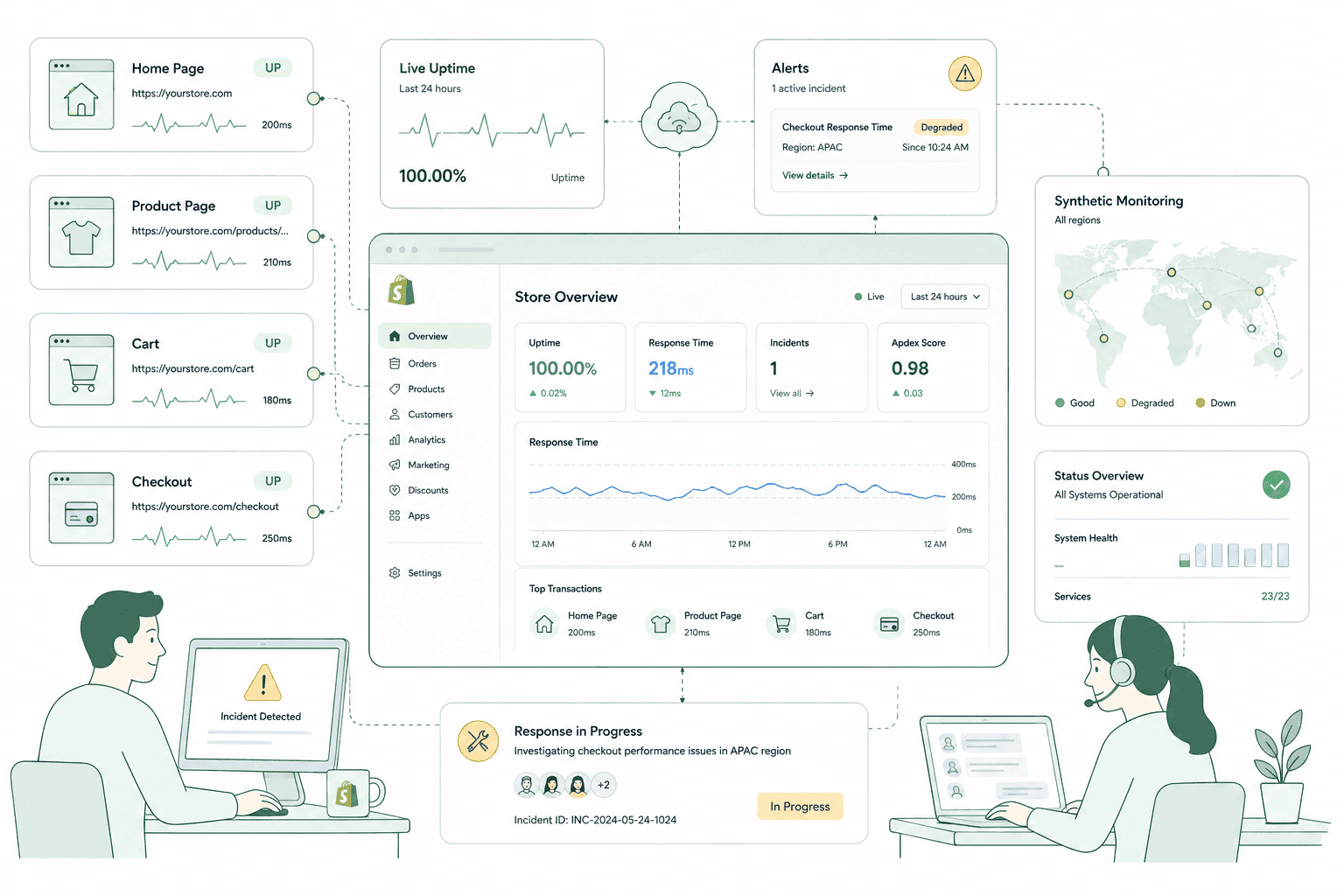
Why it matters
A homepage ping tells you almost nothing about whether people can buy.
Most monitoring setups check that the front page returns a 200 and stop there. That catches the one failure mode Shopify has already made vanishingly rare, and misses nearly every failure that actually costs you orders. The realistic incidents are dull and specific: a DNS record changed during a migration, a domain or certificate quietly expiring, a third-party app going down and taking a section of your storefront with it, a deploy that broke the cart on mobile only, or a payment gateway rejecting transactions while every page still loads perfectly. In every one of those cases the homepage is green and the checkout is broken. Monitoring is only useful if it watches the thing that generates revenue and tells a person who can act.
Sound familiar?
The failures that cost orders while your store looks completely fine.
Almost none of these are Shopify's fault, and none of them show up on a homepage uptime check.
- You think uptime monitoring is unnecessary because Shopify almost never goes down.
- The last outage was reported to you by a customer or a staff member, not by a tool.
- Nobody knows who to call, or in what order, when the store stops taking orders.
- A third-party app has degraded before and taken part of your storefront down with it.
- Your domain or SSL certificate renewal sits with a person who has since left the business.
- A deploy broke checkout on mobile and it went unnoticed for most of a trading day.
What's included
What checkout-first monitoring covers
Watching the path a customer actually takes, plus the surrounding infrastructure Shopify does not own on your behalf.
The checkout path, not the homepage
Monitoring runs against product pages, cart and the transition into checkout — the sequence that has to work for you to take an order. A homepage check is the least informative test available, because it is the surface least likely to break and the one nobody buys from.
Synthetic transaction checks
Scripted browser journeys that add a product to cart, apply a discount and reach checkout on a schedule, on both mobile and desktop. Real journeys catch the failures a status code never will: a JavaScript error blocking the buy button, a variant selector that stopped responding, a cart that silently empties.
Domain, DNS and certificate expiry
The unglamorous causes of most full outages. Domains lapse, certificates expire, DNS records get changed by someone tidying up another system. We watch expiry dates and record state so these get renewed on a calendar rather than discovered by a customer on a Saturday morning.
Third-party app status monitoring
Reviews, search, subscriptions, loyalty and personalisation apps all inject into your storefront, and when one degrades your site degrades with it. We watch the status pages of the apps that matter to your revenue path, so an incident can be attributed in minutes instead of debugged for an hour.
Alerts that reach an actual human
An alert nobody sees is not monitoring. Alerts route to a named person with escalation if it goes unacknowledged, and thresholds are tuned so the channel stays credible. The fastest way to make a store slower to recover is to fill its alert channel with noise everyone has learnt to ignore.
A runbook and post-incident write-ups
Who checks what first, what gets rolled back, who tells customers, and when Shopify or an app vendor gets contacted — written down before it is needed. Afterwards, a short honest write-up: what broke, why, what we changed. Same incident twice means the first write-up did not do its job.
How it runs
How monitoring and incident response get set up.
About one to two weeks to build the checks, routing and runbook, then ongoing — with the runbook revised after every incident it fails to cover.
- 01
Map the revenue path
We identify the pages and steps that have to work for an order to complete, plus the apps and services in that path. That map decides what gets monitored, rather than monitoring whatever is easiest.
- 02
Build the checks
Synthetic journeys through product, cart and checkout on mobile and desktop, plus domain, DNS, certificate and app status watches. Thresholds tuned so the alerts are worth reading.
- 03
Route and rehearse
Alerts go to named people with escalation, and the runbook records first checks, rollback steps and who communicates to customers. We walk it through once so nobody is reading it for the first time under pressure.
- 04
Respond and write it up
When something breaks we work the runbook, then publish a short honest account of what happened and what changed. Monitoring improves after incidents, not in the planning meeting before them.
24/7
Checkout path monitored
Not just the homepage
5 min
Synthetic check interval
Mobile and desktop journeys
15 min
Alert acknowledgement target
Escalates if nobody responds
48 hrs
Post-incident write-up
What broke, why, what changed
Straight answer
Monitoring shortens incidents. It does not prevent them, and we won't pretend otherwise.
A good fit if…
- An hour of failed checkout is a number you can put a figure on without thinking hard.
- Your storefront depends on several third-party apps in the path to purchase.
- You deploy theme changes regularly, or several people can push changes to the live store.
- You run campaigns, drops or sales where a short outage lands at the worst possible moment.
Probably not, if…
- You want an uptime guarantee. We cannot promise that, and neither can anyone honest.
- Nobody is available to act on an alert, in which case the alert only records the damage.
- Your store is low-volume and an occasional outage genuinely costs you very little.
- You want monitoring because you distrust Shopify's infrastructure. That is not the real risk.
Keep exploring
More on Shopify maintenance
Uptime Monitoring & Incident Response is one part of what an ongoing Shopify retainer covers. Here's the rest of the picture.
Shopify Maintenance & Support
The complete retainer — monitoring, patching, fixes and the reporting behind them.
View the serviceClosely relatedSecurity & Vulnerability Patching
The other half of the platform you own: staff access, app permissions and custom code.
Read the guideClosely relatedApp & Theme Updates
Broken deploys cause more outages than Shopify does. Updates tested on a duplicate first.
Read the guideAll guides in this series
- Backups & Disaster RecoveryShopify does not back your store up for you. Most merchants find out too late.
- Bug Fixes & Quick WinsThe small broken things nobody owns — and the queue they never leave.
- Content & Copy UpdatesCampaign pages, banners and seasonal swaps, without a developer bottleneck.
- Analytics & Monthly ReportingA report that names what changed and what it did, not a dashboard screenshot.
- Quarterly Strategy ReviewsDeciding what to build next quarter, and what to stop paying for.
Beyond this service
Other things we do
Most stores need two or three of these working together. Book a call and we'll tell you which ones actually move your numbers.
- Shopify Theme DevelopmentCustom themes built from Figma to production Liquid on Online Store 2.0 — fast and merchant-editable.
- Shopify App DevelopmentCustom and public apps, Checkout UI Extensions and Shopify Functions built with React and Polaris.
- Shopify MigrationMove from WooCommerce, Magento or BigCommerce with a full 301 redirect map and zero downtime.
- Shopify SEOTechnical audits, Core Web Vitals, structured data and collection content built around buyer intent.
- Shopify Performance OptimizationFaster load times and green Core Web Vitals — theme refactors, image pipelines and app cleanup.
- Shopify A/B TestingHypothesis-led experiments on product pages and checkout, shipped as native theme code.
- Shopify Email Marketing & KlaviyoFlows, segmentation and campaigns — welcome, abandoned cart, winback and SMS, built and monitored.
- Shopify CRO & FunnelsValue-ladder, tripwire, quiz and post-purchase upsell funnels built to lift conversion and AOV.
- Shopify Maintenance & SupportRetainers covering uptime monitoring, security patching, bug fixes and proactive improvements.
Frequently asked questions
- Because Shopify's infrastructure is not what breaks. The realistic incidents are a DNS change during a migration, a lapsed domain or certificate, a third-party app outage taking a storefront section with it, a deploy that broke the cart on mobile, or a payment gateway rejecting transactions. Shopify's status page stays green through every one of those. Monitoring exists to catch the failures that are yours to fix.
Would you know if checkout broke right now?
Book a 30-minute call. We'll look at what's monitored today, what isn't, and what your realistic failure modes actually are.
Book a free call