Shopify Analytics & Monthly Reporting
Store and revenue reporting on a retainer, built to answer one question each month: what changed on your store, and what did it do? Tracking verified before anything is reported, Shopify Analytics and GA4 reconciled, the funnel read step by step, and a short written verdict instead of a dashboard screenshot with the good numbers circled.
Book a Free Technical Call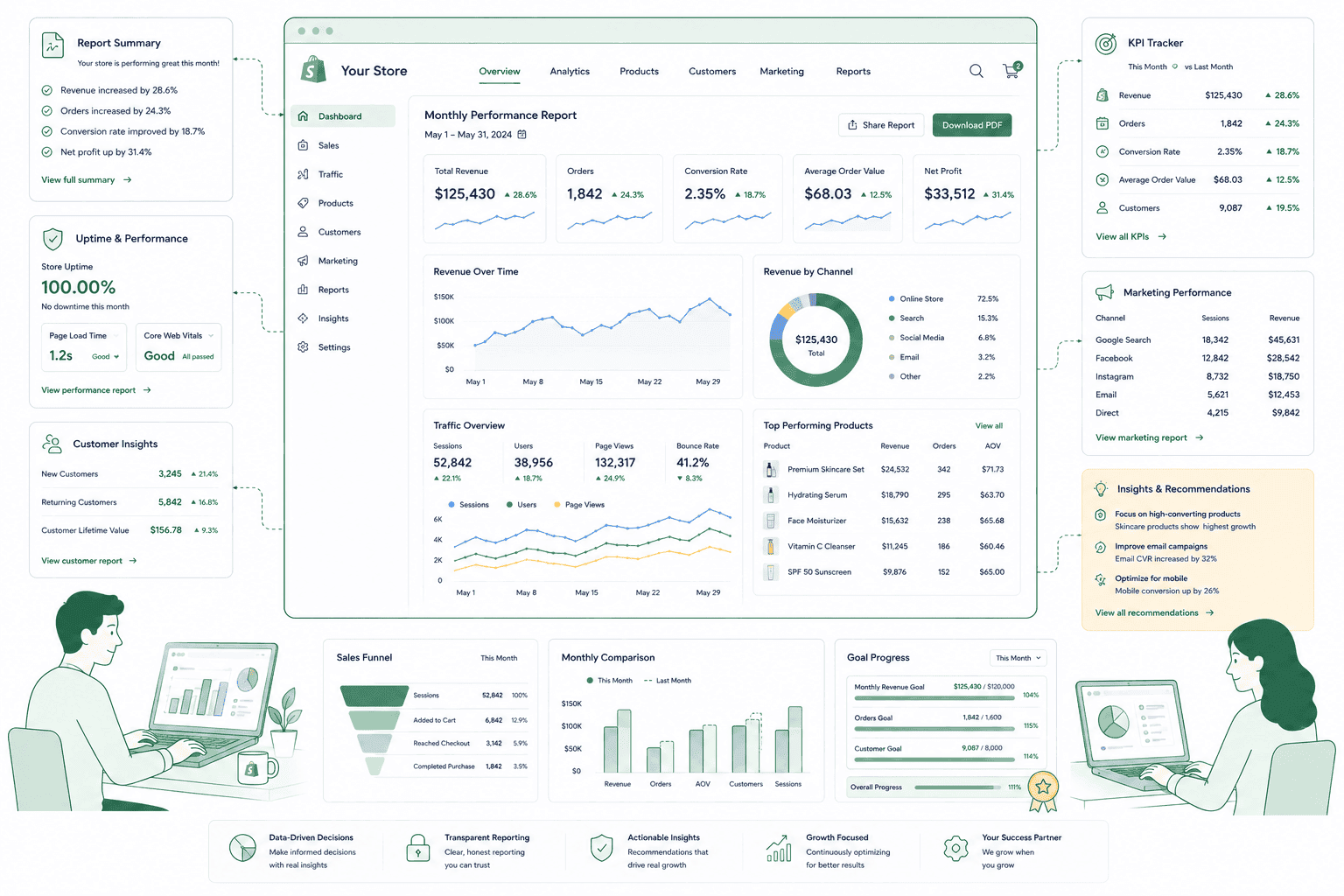
Why it matters
Most monthly reports describe a dashboard, not a store.
Exporting charts is the cheapest work an agency can do, which is exactly why so much of it gets sold. Sessions up, conversion rate down a little, revenue roughly flat — and not one sentence explaining what anyone did to the store that month or what it achieved. A report worth paying for names the changes, sets them against what moved, and says plainly which ones did nothing. That requires the person writing it to have been doing the work and to be willing to write an uncomfortable paragraph. It also depends entirely on the tracking being right. A confident report built on double-firing checkout events is worse than no report at all, because it gets believed and then acted on. So we verify measurement first, report on a small number of things, and put a verdict in plain English at the top.
Sound familiar?
You get a report every month and the store never changes because of it.
These are the patterns we find when reporting has become a deliverable in its own right rather than the thing that decides what happens next.
- Your monthly report is twelve dashboard screenshots and not one sentence explaining what any of it means.
- Nobody can tell you what actually changed on the store last month, only that the numbers moved.
- Conversion rate dropped and no one knows which step of the funnel lost the customers.
- You assume Shopify Analytics and GA4 should match exactly, and someone keeps being asked to fix it.
- Checkout events have double-fired since an app update, so every revenue figure since has been wrong.
- You have never once cancelled, changed or approved anything because of a report you paid for.
What's included
What monthly reporting actually covers
Measurement checked before it's trusted, then a fixed monthly read on the few numbers that change what you'd do next.
Tracking accuracy, checked first
Before a figure gets reported it gets verified: checkout events firing once rather than twice, referral exclusions set so payment gateways don't take credit for the sale, internal and staff traffic excluded, and test orders removed. App updates and theme edits break tracking quietly and constantly, so this is a monthly check rather than a one-off setup task.
Shopify Analytics and GA4, reconciled
Shopify counts orders. GA4 attributes sessions and models the gaps left by consent banners, ad blockers and privacy restrictions. They will never reconcile exactly, and chasing an exact match wastes months. We establish a normal gap for your store, report Shopify as the revenue source of truth, and treat a sudden change in that gap as the fault signal it usually is.
The funnel, read step by step
Sessions, product views, add to cart, checkout reached, checkout completed. A single conversion rate tells you something is wrong; the step-by-step view tells you where. Most stores lose more between product view and add to cart than anywhere else, and that is a merchandising and page problem, not a checkout one.
AOV and repeat purchase rate
Revenue can rise while the business gets worse — discounting harder, buying traffic that never returns. Average order value and repeat purchase rate are the two numbers that show the quality of the revenue rather than the size of it, so both are reported every month against the same period last year.
Channel contribution, with its caveats
Where revenue came from, reported with the modelling stated rather than hidden. Direct is inflated, email is usually undercounted at last click, and paid takes credit it shares. We report the shape and the direction of travel, and point you at our SEO reporting guide for the search side, which is a separate discipline with its own tooling.
A change log and a written verdict
Every theme edit, app install, price change and campaign dated in one log, so movement can be lined up against a cause instead of guessed at. The report opens with a few sentences: what we changed, what moved, what it appears to have done, and what we still can't attribute honestly.
How it runs
How the monthly cycle runs.
Two to three weeks to make the tracking trustworthy, then a fixed monthly read. Month one is a baseline rather than a verdict — comparison worth acting on needs roughly 90 days of clean data behind it.
- 01
Verify the tracking
We check whether your analytics are telling the truth before reporting anything from them. Duplicate purchase events, missing referral exclusions, unfiltered internal traffic and orphaned tags from removed apps are all common, and every one of them poisons the numbers downstream.
- 02
Agree what gets measured
A short list of metrics chosen because a bad number would change what you do next. Everything else stays available in the dashboards but stays out of the report. A report you can read properly in twenty minutes gets read; a forty-page one gets filed.
- 03
Report monthly, in writing
The change log first, then the funnel, AOV and repeat purchase rate, then channel contribution with its caveats. Compared against last month for movement and the same month last year for seasonality, because November always looks like a win otherwise.
- 04
Decide, then prune
Each report ends with decisions and owners, not observations. We also review the report itself each quarter and delete any section nobody has referenced — including, if it comes to it, the whole line item.
Monthly
Written verdict
Not a dashboard export
5
Funnel steps read
Not one blended rate
2
Sources reconciled
Shopify and GA4
90 days
Before trends mean much
Earlier is noise
Straight answer
When monthly reporting earns its place on the invoice.
A good fit if…
- You're paying for ongoing store work and can't tell which parts of it earned anything back.
- Your Shopify and GA4 figures disagree badly enough that nobody in the business trusts either.
- Someone on your side will read a monthly verdict and actually make decisions from it.
- You want conversion problems located by funnel step rather than argued about in a meeting.
Probably not, if…
- You want organic search reporting. That's a separate discipline — see our SEO reporting guide instead.
- You need a live dashboard for a board deck. Buy a reporting tool; you don't need an agency.
- Nobody on your side has time to read a report or act on what it says.
- You want revenue forecasts and targets committed in advance. We won't invent numbers to win a retainer.
Keep exploring
More on Shopify maintenance
Analytics & Monthly Reporting is one part of what an ongoing Shopify retainer covers. Here's the rest of the picture.
Shopify Maintenance & Support
The complete retainer — monitoring, patching, fixes and the reporting behind them.
View the serviceClosely relatedQuarterly Strategy Reviews
Where the monthly numbers turn into decisions about what to build and what to stop.
Read the guideClosely relatedApp & Theme Updates
Half of what the change log records — and the usual cause of tracking breaking quietly.
Read the guideAll guides in this series
- Uptime Monitoring & Incident ResponseShopify rarely goes down. Your theme, apps and DNS are a different story.
- Security & Vulnerability PatchingShopify secures the platform. Your apps, staff access and custom code are yours.
- Backups & Disaster RecoveryShopify does not back your store up for you. Most merchants find out too late.
- Bug Fixes & Quick WinsThe small broken things nobody owns — and the queue they never leave.
- Content & Copy UpdatesCampaign pages, banners and seasonal swaps, without a developer bottleneck.
Beyond this service
Other things we do
Most stores need two or three of these working together. Book a call and we'll tell you which ones actually move your numbers.
- Shopify Theme DevelopmentCustom themes built from Figma to production Liquid on Online Store 2.0 — fast and merchant-editable.
- Shopify App DevelopmentCustom and public apps, Checkout UI Extensions and Shopify Functions built with React and Polaris.
- Shopify MigrationMove from WooCommerce, Magento or BigCommerce with a full 301 redirect map and zero downtime.
- Shopify SEOTechnical audits, Core Web Vitals, structured data and collection content built around buyer intent.
- Shopify Performance OptimizationFaster load times and green Core Web Vitals — theme refactors, image pipelines and app cleanup.
- Shopify A/B TestingHypothesis-led experiments on product pages and checkout, shipped as native theme code.
- Shopify Email Marketing & KlaviyoFlows, segmentation and campaigns — welcome, abandoned cart, winback and SMS, built and monitored.
- Shopify CRO & FunnelsValue-ladder, tripwire, quiz and post-purchase upsell funnels built to lift conversion and AOV.
- Shopify Maintenance & SupportRetainers covering uptime monitoring, security patching, bug fixes and proactive improvements.
Frequently asked questions
- Because they count different things. Shopify records orders it processed, so it is close to exact. GA4 attributes sessions to channels and models what it cannot see — consent banners, ad blockers, iOS privacy restrictions and multi-device journeys all remove data before it arrives. Payment gateway redirects also steal credit when referral exclusions aren't configured. A consistent gap is normal and not worth fixing. A gap that suddenly widens almost always means something broke, which is why we track the size of the gap rather than trying to eliminate it.
Not sure your numbers are telling the truth?
Book a 30-minute call. We'll look at how your Shopify and GA4 tracking is set up and tell you whether the figures you're acting on mean anything.
Book a free call