Shopify Bug Fixes & Small Development Tasks
Every store accumulates a list of things that are slightly broken and too small for anyone to own. A filter that doesn't filter. A mobile layout that collapses on one collection. A form that fails silently. We take that list, rank it by what it's costing you, and clear it.
Book a Free Technical Call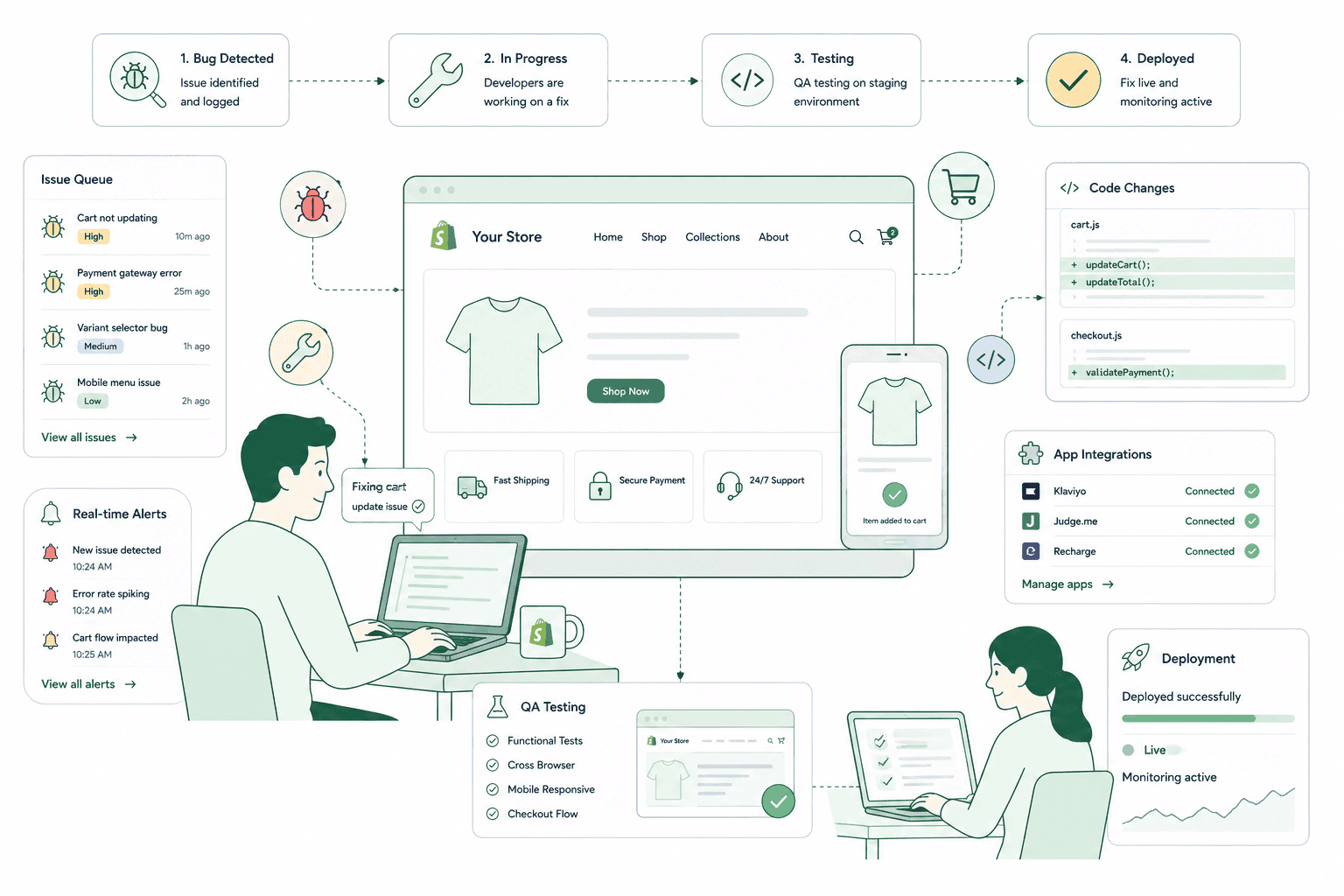
Why it matters
The bug list nobody owns is where revenue leaks quietly.
These are the faults that never make it into a project brief. A variant image that doesn't swap when the colour changes. A postcode field that rejects valid input. A newsletter form that shows no error and no confirmation. Individually each looks like a five-minute job, which is exactly why nobody schedules it. Collectively they are a tax on every session: shoppers hit friction, decide the store feels unreliable and leave without telling you. The other reason the list never shrinks is that these bugs get fixed by whoever is loudest rather than by what they cost — so a cosmetic misalignment on the About page gets three hours and a broken filter on your highest-traffic collection sits untouched for six months.
Sound familiar?
Your team has stopped reporting the small stuff.
That's the real warning sign — not the bug count, but the point where people work around faults instead of raising them. One item below is a belief we hear constantly, and it's wrong.
- Your collection filters return the wrong products and everyone has quietly learned to avoid them.
- A form on the site submits with no confirmation, and nobody knows if the enquiries arrive.
- The mobile layout breaks on one template and the fix has been on a list since spring.
- You assume small fixes are low risk, so they get published straight to the live theme.
- Variant images don't swap on some products and customers email asking which colour they bought.
- Something breaks, gets fixed, then breaks again a month later in a slightly different way.
What's included
What the fix queue covers
A standing queue with an agreed triage rule, so small work gets done properly instead of being done fast and badly.
Triage by revenue impact
Every reported issue is ranked by how many sessions it touches and how close it sits to the point of purchase. A broken add-to-cart on one product template outranks a spacing problem on every page. We publish the ranking so you can argue with it — but not so the loudest voice decides it.
Reproduce before fixing
No fix starts until we've seen the fault ourselves, with the browser, device, theme version and steps recorded. Roughly a third of reported Shopify bugs turn out to be a cached page, an app setting, an ad blocker or a merchant looking at a stale preview link — and none of those are fixed by editing code.
Fix the cause, not the symptom
A layout that breaks at 390px gets the broken rule corrected, not an override bolted on top. Symptom fixes are faster today and compound into a theme where every change has three competing rules fighting each other. Where the honest fix is bigger than a bug ticket, we tell you rather than patching it.
Regression checks before release
Work happens on a duplicate theme, and before anything is published we re-test the surfaces the change could plausibly touch — product page, cart, checkout, and the templates that share the section. Small fixes cause most regressions precisely because they're assumed to be safe.
Small development tasks
Not everything in the queue is broken. A shipping message in the cart, a size guide on a product template, a badge condition, a form field, a redirect rule. Contained work that never justifies a project but genuinely improves the store gets picked up in the same cadence.
A written record of every fix
What was reported, what actually caused it, what changed, and where. So the next developer isn't reverse-engineering a decision from the Liquid, and so a recurring fault gets recognised as a pattern rather than fixed for the fourth time.
How it runs
How the queue actually runs.
A continuous queue with triage inside 48 hours on weekdays and a fortnightly release window, so fixes ship in tested batches rather than one risky publish at a time.
- 01
Report and triage
You raise it in one place, with a URL and a screenshot if you have one. We rank it by sessions affected and distance from checkout, then tell you where it landed and why.
- 02
Reproduce and diagnose
We recreate the fault on the recorded device and browser, then find the actual cause — theme code, an app conflict, a setting, or a data problem in the product itself.
- 03
Fix on a duplicate
Work is done on a copy of the live theme, never the published one. The fix addresses the cause, and anything that turns out to be bigger than a bug is flagged before we continue.
- 04
Regression check and ship
Related templates, cart and checkout re-tested on mobile and desktop, then published in the release window with the previous theme version kept as rollback.
48 hrs
Triage response
Weekdays, ranked and logged
1
Reproduction first
No fix before we see it
2
Devices minimum
Mobile and desktop retest
Cause
Not symptom
Root fix, or an honest no
Straight answer
A fix queue is the wrong answer for some stores.
A good fit if…
- You have a backlog of small faults and no one internally who owns getting them resolved.
- Your store is fundamentally sound and the issues are genuinely contained, not structural.
- Reported problems keep getting fixed by whoever shouts loudest rather than by impact.
- You want small improvements shipped steadily rather than saved up for a redesign project.
Probably not, if…
- Your store produces a constant stream of bugs — that's a structural problem, not a queue.
- Every request turns out to be a new feature. That's a build, and it should be scoped as one.
- You need same-hour emergency response for a live outage rather than a fix cadence.
- You want fixes published straight to the live theme without testing to save turnaround time.
Keep exploring
More on Shopify maintenance
Bug Fixes & Quick Wins is one part of what an ongoing Shopify retainer covers. Here's the rest of the picture.
Shopify Maintenance & Support
The complete retainer — monitoring, patching, fixes and the reporting behind them.
View the serviceClosely relatedApp & Theme Updates
Where a lot of bugs come from. Updates tested on a duplicate before they go live.
Read the guideClosely relatedContent & Copy Updates
The other half of the queue — and the part your own team should be able to do.
Read the guideAll guides in this series
- Uptime Monitoring & Incident ResponseShopify rarely goes down. Your theme, apps and DNS are a different story.
- Security & Vulnerability PatchingShopify secures the platform. Your apps, staff access and custom code are yours.
- Backups & Disaster RecoveryShopify does not back your store up for you. Most merchants find out too late.
- Analytics & Monthly ReportingA report that names what changed and what it did, not a dashboard screenshot.
- Quarterly Strategy ReviewsDeciding what to build next quarter, and what to stop paying for.
Beyond this service
Other things we do
Most stores need two or three of these working together. Book a call and we'll tell you which ones actually move your numbers.
- Shopify Theme DevelopmentCustom themes built from Figma to production Liquid on Online Store 2.0 — fast and merchant-editable.
- Shopify App DevelopmentCustom and public apps, Checkout UI Extensions and Shopify Functions built with React and Polaris.
- Shopify MigrationMove from WooCommerce, Magento or BigCommerce with a full 301 redirect map and zero downtime.
- Shopify SEOTechnical audits, Core Web Vitals, structured data and collection content built around buyer intent.
- Shopify Performance OptimizationFaster load times and green Core Web Vitals — theme refactors, image pipelines and app cleanup.
- Shopify A/B TestingHypothesis-led experiments on product pages and checkout, shipped as native theme code.
- Shopify Email Marketing & KlaviyoFlows, segmentation and campaigns — welcome, abandoned cart, winback and SMS, built and monitored.
- Shopify CRO & FunnelsValue-ladder, tripwire, quiz and post-purchase upsell funnels built to lift conversion and AOV.
- Shopify Maintenance & SupportRetainers covering uptime monitoring, security patching, bug fixes and proactive improvements.
Frequently asked questions
- A bug is something that used to work, or was clearly meant to work, and doesn't — a filter returning wrong results, a form that fails silently, a layout breaking at a common viewport width. New work is anything that adds behaviour the store never had: a bundle builder, a new template type, a subscription flow. We're explicit about which bucket a request falls into when we triage it, because pretending a feature is a bug is how retainers quietly turn into unscoped projects.
Got a list nobody's clearing?
Book a 30-minute call. Bring the list. We'll tell you what's worth fixing, what's structural, and what you should ignore.
Book a free call