Shopify Theme & Code Speed Optimization
This is remediation, not a rebuild. You already have a theme, it already sells, and replacing it isn't the plan — so we go through the code you actually run and take out what's costing you time: unused CSS and JavaScript, render-blocking assets in theme.liquid, and Liquid doing far more work than the page needs.
Book a Free Technical Call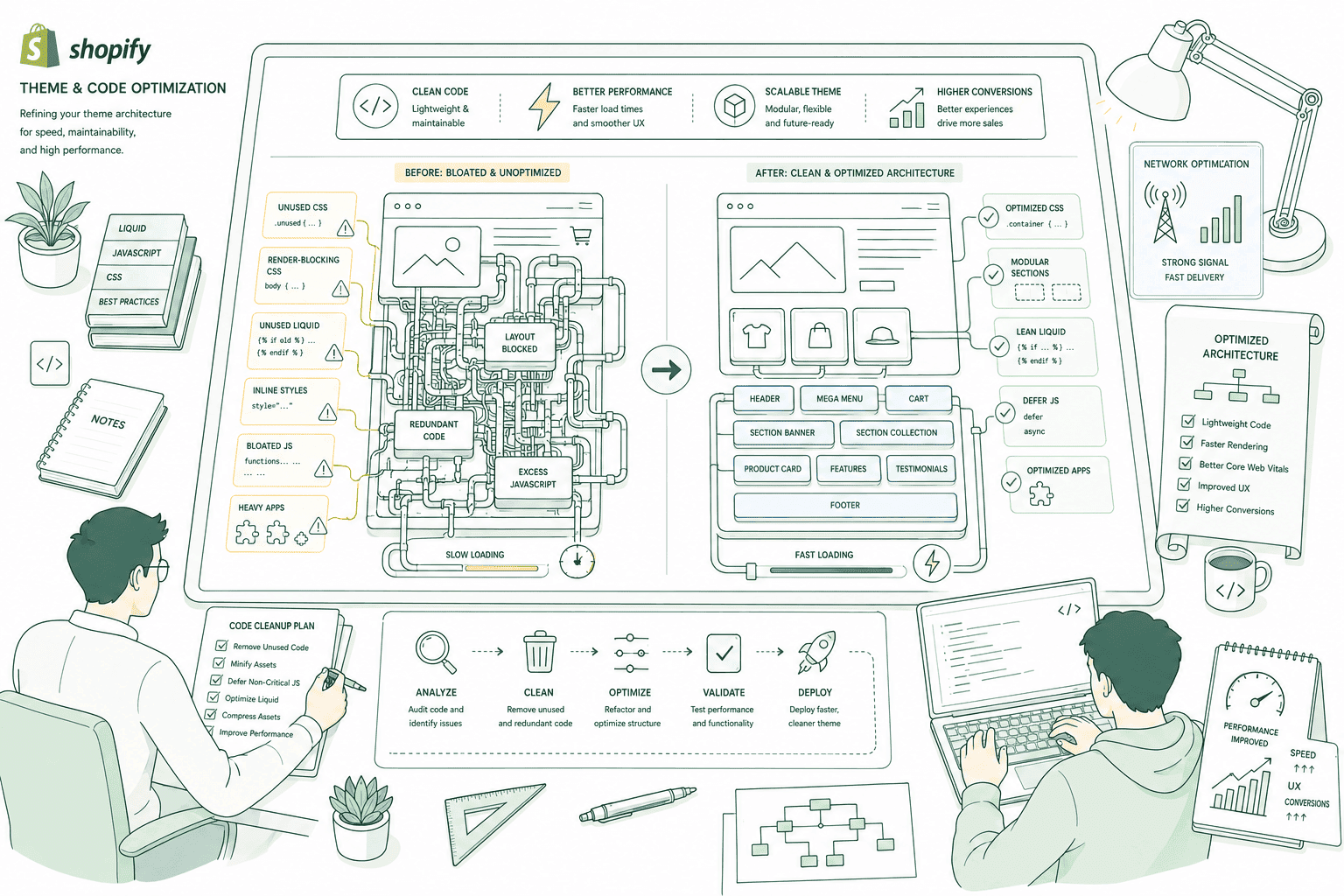
Why it matters
Most Shopify themes are slow because of code nobody is using.
Feature-rich premium themes ship for every possible merchant, which means every possible feature: mega-menus, quick view, lookbooks, countdown timers, three carousel libraries. You use a fraction of it and download all of it. Then two or three years of edits land on top — a developer adds a script tag, an app leaves its snippet behind after being uninstalled, a section gets duplicated rather than parameterised. None of it is catastrophic on its own, and all of it lands on the same main thread that decides your INP. Remediation means reading the theme properly and removing the weight, rather than starting over. If you want a fast theme built from scratch instead, that's a different service — see Performance-First Themes.
Sound familiar?
The theme was fine at launch. Three years of edits later, it isn't.
Nothing here is a disaster on its own. That's the problem — it accumulates quietly, and no single change is ever obviously the culprit.
- Your theme shipped with a mega-menu, quick view and lookbook you have never once used.
- jQuery still loads on every page because one countdown widget from 2021 depends on it.
- Collection pages crawl once a collection passes a few hundred products and nobody knows why.
- Four developers have edited theme.liquid and nobody can say which script tags still matter.
- You were told the apps are entirely to blame, so the theme itself was never opened.
- Your product page loads the cart drawer, reviews and a size guide before anyone asks.
What's included
What theme remediation covers
A senior developer reading your theme file by file, in priority order, on a development copy — not a plugin guessing at it.
Unused CSS and JavaScript
We run coverage against your real templates to find what the browser downloads, parses and never executes. Premium themes routinely ship large stylesheets and bundles for features you don't run. Dead code gets removed rather than minified — a smaller version of something you never use is still something you never use.
Render-blocking assets in theme.liquid
Every stylesheet and synchronous script in the head delays first paint. We audit what's in there, inline the critical CSS needed for the above-the-fold view, load the rest without blocking, and preload only the resources that genuinely earn it. This is usually the single biggest LCP win in an existing theme.
Legacy dependencies
jQuery is still loaded on most stores we open, usually because one widget depends on it. Same story with older slider and modal libraries. We rewrite the dependent code in vanilla JavaScript where the widget earns its place, and remove both the widget and the library where it doesn't.
Expensive Liquid
Nested for loops over collections, product lookups inside a loop, unpaginated iteration and repeated metafield calls all add server-side time before a single byte reaches the browser. We find the loops doing the most work, cut the iteration count, hoist repeated lookups, and cache what can safely be cached.
Deferred, template-scoped JavaScript
Non-critical scripts get deferred so they stop competing with first paint, and behaviour that only a product page needs stops loading on the homepage. Cart drawers, review widgets, size-guide modals and search overlays are loaded on interaction or on approach, not on every page view by default.
Section-level code review
Online Store 2.0 sections are where most of the accumulated damage lives. We go through each one — what it renders, what it loads, whether it's on any live template at all — and report the ones that are unused, duplicated or heavier than the merchandising they support.
How it runs
How theme remediation actually runs.
Roughly 2–4 weeks depending on how much has accumulated, all on a development theme, with the go/no-go call made in the first few days.
- 01
Profile before touching anything
Coverage reports per template, a main-thread trace on a throttled mid-range Android, and 28 days of field data. If the theme turns out to be beyond economical repair, you hear that now — not after three weeks of invoiced work.
- 02
Remove what nothing uses
Dead CSS and JavaScript, orphaned app snippets, unused sections, legacy libraries kept alive by a single widget. Every removal is listed and reversible, and anything ambiguous gets checked with you rather than deleted quietly.
- 03
Unblock the critical path
Critical CSS inlined, the remainder loaded without blocking, non-critical JavaScript deferred and scoped to the templates that need it. This is where LCP moves, and it moves the most on mobile.
- 04
Rewrite the expensive Liquid, then verify
Heavy loops and repeated lookups get restructured, then we merge and watch. Field data is a rolling 28-day window, so the honest verdict lands about four weeks after the theme goes live — not the same afternoon.
< 2.5s
LCP target
Judged on field data
200ms
INP threshold
Main-thread work decides it
0.1
CLS ceiling
Google's 'good' bar
2–4 wks
Typical engagement
Scope dependent
Straight answer
Sometimes remediation is the wrong purchase, and we'd rather say so.
A good fit if…
- Your theme is a decent premium or custom base that has simply collected years of edits.
- You like how the store looks and have no appetite or budget for a redesign.
- Your field data sits amber or red and you can name the templates that hurt most.
- Someone on your side can approve removing features nobody has used in two years.
Probably not, if…
- The theme is page-builder output where every page generates its own markup and styles.
- You're redesigning within six months — set a performance budget on the new build instead.
- The theme is hacked so heavily that a rebuild genuinely costs less than untangling it.
- You want a guaranteed Lighthouse number in writing before anyone has opened the code.
Keep exploring
More on Shopify performance
Theme & Code Optimization is one part of how we make Shopify stores fast. Here's the rest of the picture.
Shopify Performance Optimization
The complete service — audit, fix, verify and keep it fast.
View the serviceClosely relatedApp & Script Optimization
Third-party scripts are the most common cause of a slow Shopify store — start here.
Read the guideClosely relatedStore Speed Audit
Find out whether the theme is genuinely the problem before paying anyone to change it.
Read the guideAll guides in this series
- Core Web VitalsLCP under 2.5s, INP under 200ms, CLS under 0.1 — measured on real field data.
- Image & Asset OptimizationThe hero image is usually your LCP element. Sizing and formats decide the score.
- Mobile Speed OptimizationMost of your traffic, and the device your Core Web Vitals are actually judged on.
- Cart & Checkout SpeedThe slowest step is the one closest to the money — cart drawer to confirmation.
- Performance MonitoringSpeed regresses the moment someone installs an app. Catch it before customers do.
Beyond this service
Other things we do
Most stores need two or three of these working together. Book a call and we'll tell you which ones actually move your numbers.
- Shopify Theme DevelopmentCustom themes built from Figma to production Liquid on Online Store 2.0 — fast and merchant-editable.
- Shopify App DevelopmentCustom and public apps, Checkout UI Extensions and Shopify Functions built with React and Polaris.
- Shopify MigrationMove from WooCommerce, Magento or BigCommerce with a full 301 redirect map and zero downtime.
- Shopify SEOTechnical audits, Core Web Vitals, structured data and collection content built around buyer intent.
- Shopify Performance OptimizationFaster load times and green Core Web Vitals — theme refactors, image pipelines and app cleanup.
- Shopify A/B TestingHypothesis-led experiments on product pages and checkout, shipped as native theme code.
- Shopify Email Marketing & KlaviyoFlows, segmentation and campaigns — welcome, abandoned cart, winback and SMS, built and monitored.
- Shopify CRO & FunnelsValue-ladder, tripwire, quiz and post-purchase upsell funnels built to lift conversion and AOV.
- Shopify Maintenance & SupportRetainers covering uptime monitoring, security patching, bug fixes and proactive improvements.
Frequently asked questions
- We tell you in the first week, and we're not precious about the answer. Remediation wins when the base theme is sound and the damage is accumulated edits. A rebuild wins when the theme is page-builder output, when core files have been rewritten so heavily that updates are impossible, or when the estimate to untangle it approaches the cost of a clean build. If that's you, the honest destination is Performance-First Themes, where speed is budgeted from the first commit instead of recovered afterwards.
Not sure whether to fix it or replace it?
Book a 30-minute technical call. We'll open your theme, tell you what's actually costing you time, and say plainly if a rebuild is the better spend.
Book a free call