Shopify Core Web Vitals Optimization
Google publishes the thresholds: LCP under 2.5 seconds, INP under 200 milliseconds, CLS under 0.1. We fix what moves each one on a Shopify store specifically — and we measure against the real-user field data Google grades you on, not a lab score from a fast laptop on office wifi.
Book a Free Technical Call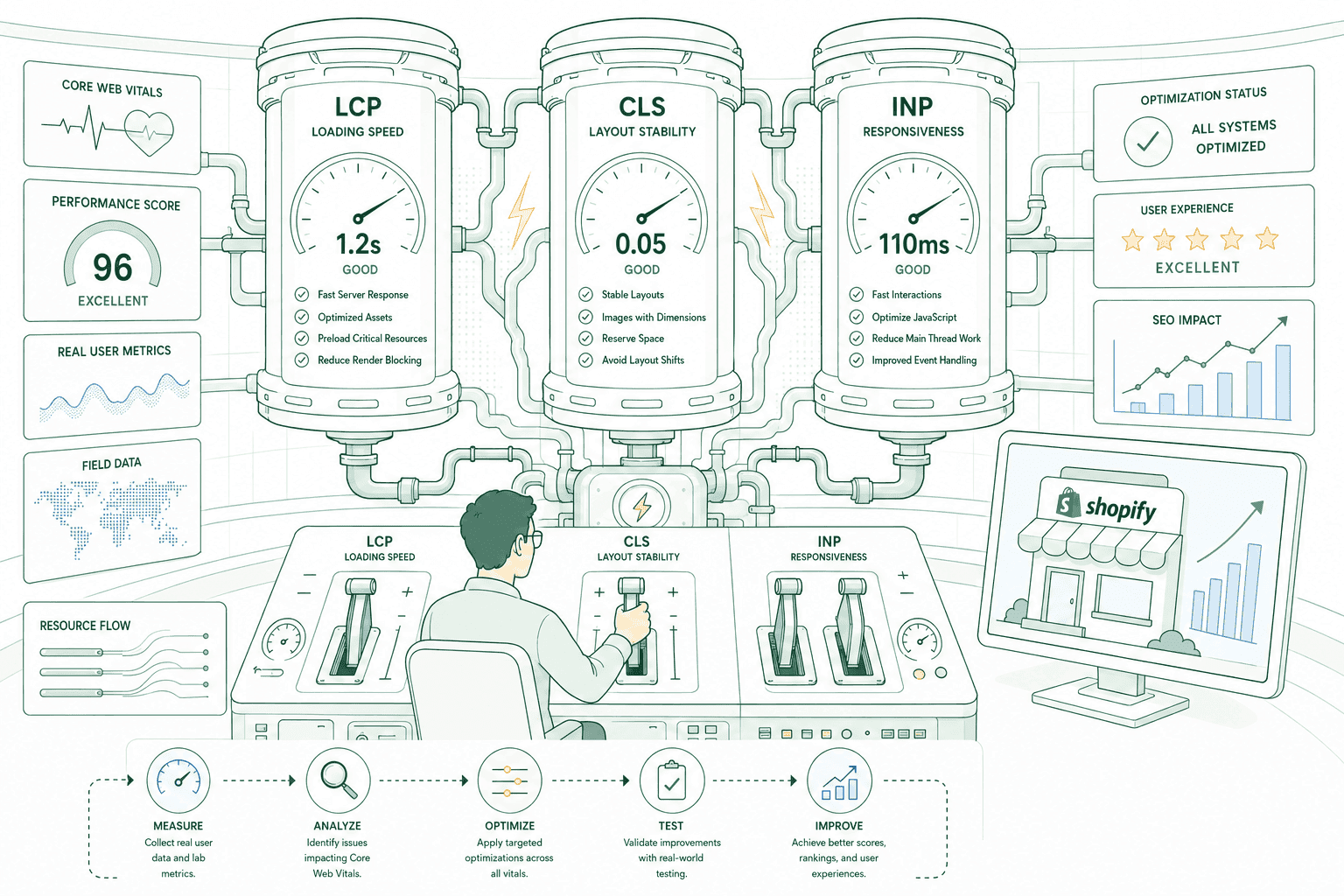
Why it matters
Your Lighthouse score is not what Google ranks on.
Core Web Vitals are assessed on field data — the Chrome User Experience Report, built from real visits on real devices over a rolling 28-day window. Lighthouse is a lab simulation of a single page load on a single machine. The two disagree constantly, and the field data is the one that counts. That is why a store can show a green Lighthouse number and still fail Core Web Vitals in Search Console: your customers are on mid-range phones and patchy mobile connections, not fibre and a MacBook. We work the other way round. We start from your field data, establish which of the three metrics is actually failing and on which templates, then fix the cause rather than the symptom.
Sound familiar?
Search Console says your URLs need improvement and nobody can explain why.
Most of these are genuine Core Web Vitals failures. One is a misunderstanding of how Google measures, and it wastes a great deal of agency money every year.
- Search Console flags groups of URLs as poor while your Lighthouse score looks perfectly healthy.
- Your PageSpeed score is above 90, so you assume Core Web Vitals are passing and rankings are safe.
- Your home page hero takes a visible beat to appear, especially on a phone on mobile data.
- Customers tap add-to-cart, nothing happens for a moment, and they end up tapping it twice.
- Content jumps down the page as an announcement bar, consent banner or review widget loads in.
- You fixed things two months ago and Search Console still shows the same status with no explanation.
What's included
What Core Web Vitals work covers
Three metrics with three different causes. Each gets diagnosed on its own terms, fixed in priority order, then verified against real-user data.
LCP — the hero image problem
On almost every Shopify home and product page the LCP element is the hero image. We confirm which element it actually is, then fix the chain that delays it: preloading the real source, correct width and height, modern formats, a sensible srcset, and no lazy-loading on something that is above the fold. Render-blocking CSS and font loading get cleared out of its way at the same time.
INP — main-thread work
INP replaced FID in March 2024 and measures responsiveness across the whole session, not just the first interaction. That makes JavaScript and main-thread blocking the dominant factor. We profile long tasks, find the handlers that stall when someone opens the cart drawer or switches variant, and cut or defer the third-party scripts sitting on top of them.
CLS — layout stability
Layout shift on Shopify comes from a short list of repeat offenders: images without dimensions, web fonts swapping in, announcement bars and consent banners injected after first paint, and app widgets that shove content down when they finally load. We reserve space for each so the page stops moving under the customer's thumb.
Field data, not lab guesses
We pull your CrUX field data and the Search Console Core Web Vitals report before touching anything, so we know which URL groups fail and on which device class. Lighthouse and WebPageTest stay in the toolkit as diagnostics — genuinely useful for finding a cause, worthless as proof of an outcome.
Mobile assessed on its own
Mobile and desktop are reported separately, and mobile is where most Shopify stores fail. We test on throttled connections and mid-tier hardware rather than a flagship phone on a fast network, because that is closer to the device your median customer is actually holding.
Verification and handover
You get a written record of what changed, why, and what each change was expected to move — plus the Search Console URL groups to watch while field data catches up. If a fix does not show in the field once the window has rolled, we say so rather than pointing at a lab score.
How it runs
How Core Web Vitals work actually runs.
Two to four weeks of diagnosis and fixing, depending on how much of the problem sits in third-party scripts. Then patience — field data moves on a rolling 28-day window, so Search Console keeps showing the old picture for roughly a month after the work is finished.
- 01
Baseline the field data
We record your CrUX numbers and Search Console URL groups before anything changes, split by device. Without that baseline there is no honest way to say later whether the work moved the metrics or the traffic mix did.
- 02
Find the real cause
We identify the actual LCP element per template, profile the long tasks hurting INP, and trace every layout shift back to the element that caused it. Lab tools are used here to diagnose, not to score.
- 03
Fix in priority order
Highest-impact, lowest-risk changes first — usually images, render-blocking resources and script loading. Each change ships on its own so movement can be attributed, rather than guessing which of ten edits mattered.
- 04
Wait, then verify
Lab metrics are checked immediately, field data as the 28-day window rolls over. You get a written summary of what changed, what moved, and anything still failing that would need deeper theme or app work.
2.5s
LCP threshold
Google's published 'good' bar
200ms
INP threshold
Replaced FID in March 2024
0.1
CLS threshold
Cumulative layout shift
28 days
Field data window
CrUX, real visits
Straight answer
Core Web Vitals are worth fixing — just not for the reason you were sold.
A good fit if…
- Search Console shows failing URL groups and you want the causes found and fixed properly.
- Your store is visibly slow on mobile and you accept that the fix touches apps and theme code.
- You can wait roughly a month after the work for field data to reflect it.
- You care about conversion and customer experience, and treat the ranking signal as a bonus.
Probably not, if…
- You want a green Lighthouse score for a report. That is a different, largely cosmetic job.
- You expect a ranking jump. Core Web Vitals are a small signal next to content and links.
- You need proof within a week. Field data simply does not move that quickly.
- You will not remove or replace any app, whatever the profiling shows about its cost.
Keep exploring
More on Shopify performance
Core Web Vitals is one part of how we make Shopify stores fast. Here's the rest of the picture.
Shopify Performance Optimization
The complete service — audit, fix, verify and keep it fast.
View the serviceClosely relatedStore Speed Audit
Not sure which metric is failing or why? Start with the diagnosis, not the fix.
Read the guideClosely relatedImage & Asset Optimization
The hero image is usually your LCP element — sizing and formats decide the number.
Read the guideAll guides in this series
- App & Script OptimizationThird-party scripts are the usual culprit — audited, deferred or removed.
- Theme & Code OptimizationFixing the theme you already run — dead CSS, blocking JS, bloated Liquid.
- Mobile Speed OptimizationMost of your traffic, and the device your Core Web Vitals are actually judged on.
- Cart & Checkout SpeedThe slowest step is the one closest to the money — cart drawer to confirmation.
- Performance MonitoringSpeed regresses the moment someone installs an app. Catch it before customers do.
Beyond this service
Other things we do
Most stores need two or three of these working together. Book a call and we'll tell you which ones actually move your numbers.
- Shopify Theme DevelopmentCustom themes built from Figma to production Liquid on Online Store 2.0 — fast and merchant-editable.
- Shopify App DevelopmentCustom and public apps, Checkout UI Extensions and Shopify Functions built with React and Polaris.
- Shopify MigrationMove from WooCommerce, Magento or BigCommerce with a full 301 redirect map and zero downtime.
- Shopify SEOTechnical audits, Core Web Vitals, structured data and collection content built around buyer intent.
- Shopify Performance OptimizationFaster load times and green Core Web Vitals — theme refactors, image pipelines and app cleanup.
- Shopify A/B TestingHypothesis-led experiments on product pages and checkout, shipped as native theme code.
- Shopify Email Marketing & KlaviyoFlows, segmentation and campaigns — welcome, abandoned cart, winback and SMS, built and monitored.
- Shopify CRO & FunnelsValue-ladder, tripwire, quiz and post-purchase upsell funnels built to lift conversion and AOV.
- Shopify Maintenance & SupportRetainers covering uptime monitoring, security patching, bug fixes and proactive improvements.
Frequently asked questions
- Because they measure different things. PageSpeed Insights runs a Lighthouse simulation in a lab: one page, one device, one network profile. Core Web Vitals assessment uses field data from the Chrome User Experience Report — real visits from real customers over a rolling 28-day period, on whatever phones and connections they happen to have. A good lab score with poor field data is still a fail, and the field data is the version Google acts on.
Failing Core Web Vitals?
Book a 30-minute technical call. We'll look at your field data with you and tell you which of the three metrics is actually the problem — and whether it's worth fixing.
Book a free call