Shopify Store Speed Audit
Before anyone touches code, you need to know what is actually slow — and what it is costing you. We measure your real-user field data, read the waterfall, attribute weight to each app and script, and hand you a findings list ranked by impact against effort. Diagnosis first, opinions second.
Book a Free Technical Call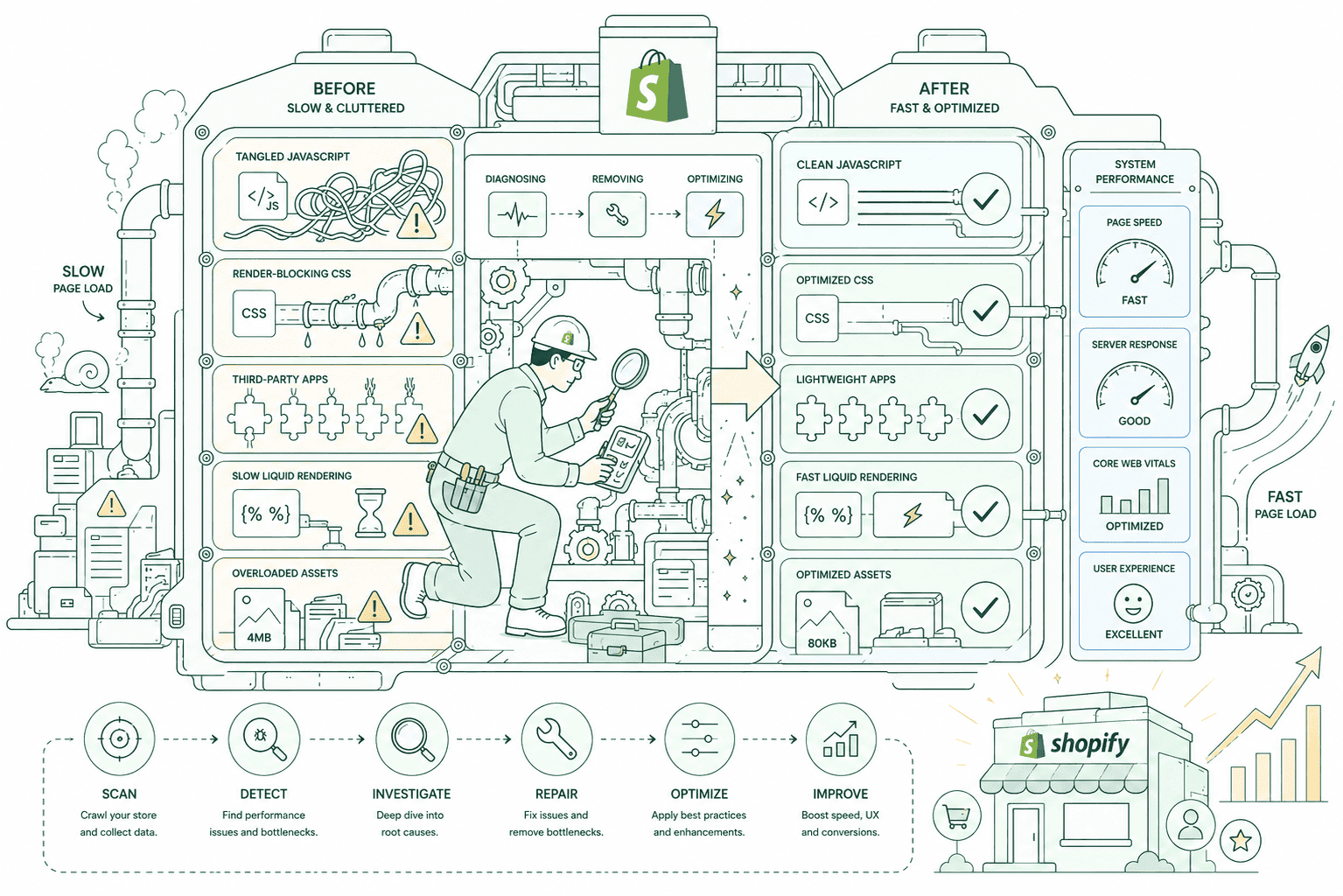
Why it matters
Most speed work fails because it starts with fixes instead of measurement.
The usual pattern is a developer runs Lighthouse, sees a red number, and starts minifying things. Three weeks later the score has moved a little and customers notice nothing, because the actual bottleneck was a chat widget loading 400KB of JavaScript on every page. An audit exists to stop that. It establishes what your real customers experience — Core Web Vitals are judged on field data from CrUX, real users over a rolling 28 days, not lab scores — then traces each problem back to the specific asset, script or template causing it. The output is not a score. It is a list of causes, each with an owner, an estimated impact and an estimated effort, so you can decide what is worth doing.
Sound familiar?
You know the store feels slow. Nobody can tell you which part.
An audit is worth buying when you have a symptom but no cause. One of these is a misconception we correct on most calls.
- Your store feels sluggish on mobile but every tool you run gives you a different answer.
- You believe the fix is obvious — compress the images — and expect that to solve everything.
- You have installed fifteen apps over three years and nobody has ever measured what they cost.
- A developer quoted speed work without measuring anything first, and you cannot judge the quote.
- Search Console flags failing URL groups but you cannot connect them to anything you changed.
- You are about to redesign, and want to know what is broken before you rebuild on top of it.
What's included
What the audit covers
Six passes over your store, from what your customers actually experience down to the individual request that is holding the page up.
Field data baseline
We start with CrUX and your Search Console Core Web Vitals report, split by mobile and desktop, and record where you stand against Google's thresholds — LCP under 2.5 seconds, INP under 200 milliseconds, CLS under 0.1. This is the number that matters, and it is the one nobody checks before quoting speed work.
Waterfall analysis
Every request on your key templates, in order, with timings. This is where the real story sits: the font that blocks paint, the redirect chain nobody knew about, the script that fires a second script that fires a third. We read home, collection, product and cart separately, because they fail for different reasons.
Render-blocking resources
We identify every stylesheet and script sitting in the critical path, delaying first paint and pushing back your LCP element. Each one gets classified: genuinely needed up front, deferrable, loadable asynchronously, or removable outright. That classification is what turns a list of warnings into a work plan.
App-by-app cost attribution
Third-party app scripts are the most common cause of slow Shopify stores, and many keep running on pages where they do nothing. We measure each app's real weight — bytes, requests and main-thread time — so the conversation stops being 'apps are slow' and becomes 'this app costs you this much, on these pages'.
Mobile and real conditions
Testing happens on throttled connections and mid-tier hardware, not a desktop on office wifi. Mobile is assessed separately by Google, it is where most Shopify stores fail, and it is where the gap between a lab score and your customer's actual experience is widest.
Findings ranked by impact vs effort
The deliverable is a prioritised list, not a data dump. Each finding states the cause, the evidence, the expected effect and the rough effort to fix. Quick wins are separated from structural problems, so you can act on the top three this week and plan the rest properly.
How it runs
How the audit runs.
Roughly one to two weeks for the audit itself, and two to four weeks of work if you act on it. Note that field data reflects any fix on a rolling 28-day window, so the audit's before-and-after story takes about a month to close.
- 01
Collect the field data
CrUX and Search Console first, split by device and URL group. We need to know what real customers experience before we look at a single lab test, because that is the standard Google actually applies.
- 02
Profile the templates
Waterfalls, main-thread traces and render-blocking analysis across home, collection, product and cart. Each template fails differently, and auditing only the home page is how most speed reports miss the real problem.
- 03
Cost the app stack
Every installed app measured for bytes, requests and main-thread time, plus where it loads versus where it is used. Leftover code from apps you uninstalled long ago gets flagged here too.
- 04
Rank and hand over
Findings written up with cause, evidence, expected impact and effort, ordered so the top items are worth doing first. We walk you through it on a call — including anything we think is not worth fixing.
1–2 wks
Audit turnaround
Findings, ranked
4
Templates profiled
Home, collection, PDP, cart
28 days
Field data window
CrUX, real visits
2.5s
LCP threshold
Google's published 'good' bar
Straight answer
An audit is only worth buying if you intend to act on it.
A good fit if…
- You have a slow store, a budget to fix it, and want the causes identified before spending it.
- You are inheriting a store and need an honest technical picture before committing to changes.
- You have a quote for speed work and want an independent view on whether it targets the right things.
- You are planning a redesign and want the current bottlenecks documented before rebuilding.
Probably not, if…
- You want a document for a stakeholder and have no intention of changing anything.
- You already know the causes and just need someone to do the work — skip straight to that.
- You need a green Lighthouse score by Friday. An audit will not give you one.
- You cannot remove or replace apps, which rules out most of what an audit will recommend.
Keep exploring
More on Shopify performance
Store Speed Audit is one part of how we make Shopify stores fast. Here's the rest of the picture.
Shopify Performance Optimization
The complete service — audit, fix, verify and keep it fast.
View the serviceClosely relatedCore Web Vitals
The metrics the audit measures against — LCP, INP and CLS, judged on field data.
Read the guideClosely relatedApp & Script Optimization
Usually the largest finding in the report, and usually the fastest thing to fix.
Read the guideAll guides in this series
- Theme & Code OptimizationFixing the theme you already run — dead CSS, blocking JS, bloated Liquid.
- Image & Asset OptimizationThe hero image is usually your LCP element. Sizing and formats decide the score.
- Mobile Speed OptimizationMost of your traffic, and the device your Core Web Vitals are actually judged on.
- Cart & Checkout SpeedThe slowest step is the one closest to the money — cart drawer to confirmation.
- Performance MonitoringSpeed regresses the moment someone installs an app. Catch it before customers do.
Beyond this service
Other things we do
Most stores need two or three of these working together. Book a call and we'll tell you which ones actually move your numbers.
- Shopify Theme DevelopmentCustom themes built from Figma to production Liquid on Online Store 2.0 — fast and merchant-editable.
- Shopify App DevelopmentCustom and public apps, Checkout UI Extensions and Shopify Functions built with React and Polaris.
- Shopify MigrationMove from WooCommerce, Magento or BigCommerce with a full 301 redirect map and zero downtime.
- Shopify SEOTechnical audits, Core Web Vitals, structured data and collection content built around buyer intent.
- Shopify Performance OptimizationFaster load times and green Core Web Vitals — theme refactors, image pipelines and app cleanup.
- Shopify A/B TestingHypothesis-led experiments on product pages and checkout, shipped as native theme code.
- Shopify Email Marketing & KlaviyoFlows, segmentation and campaigns — welcome, abandoned cart, winback and SMS, built and monitored.
- Shopify CRO & FunnelsValue-ladder, tripwire, quiz and post-purchase upsell funnels built to lift conversion and AOV.
- Shopify Maintenance & SupportRetainers covering uptime monitoring, security patching, bug fixes and proactive improvements.
Frequently asked questions
- A written findings list, ordered by impact against effort. Each finding names the cause, shows the evidence — waterfall extract, trace, or the app responsible — states what fixing it should move, and estimates the work involved. Alongside it you get your field data baseline so there is something honest to compare against later. We walk you through it on a call, and that call includes the items we think you should ignore.
Not sure what's slow?
Book a 30-minute technical call. We'll look at your field data live and tell you whether a full audit is worth paying for — or whether the cause is already obvious.
Book a free call