Shopify App & Script Speed Optimization
Third-party app scripts are the most common cause of slow Shopify stores, and many of them keep running in the background on pages where they do nothing at all. We measure what every installed app really costs, remove the dead code left behind by ones you uninstalled, and defer what genuinely needs to stay.
Book a Free Technical Call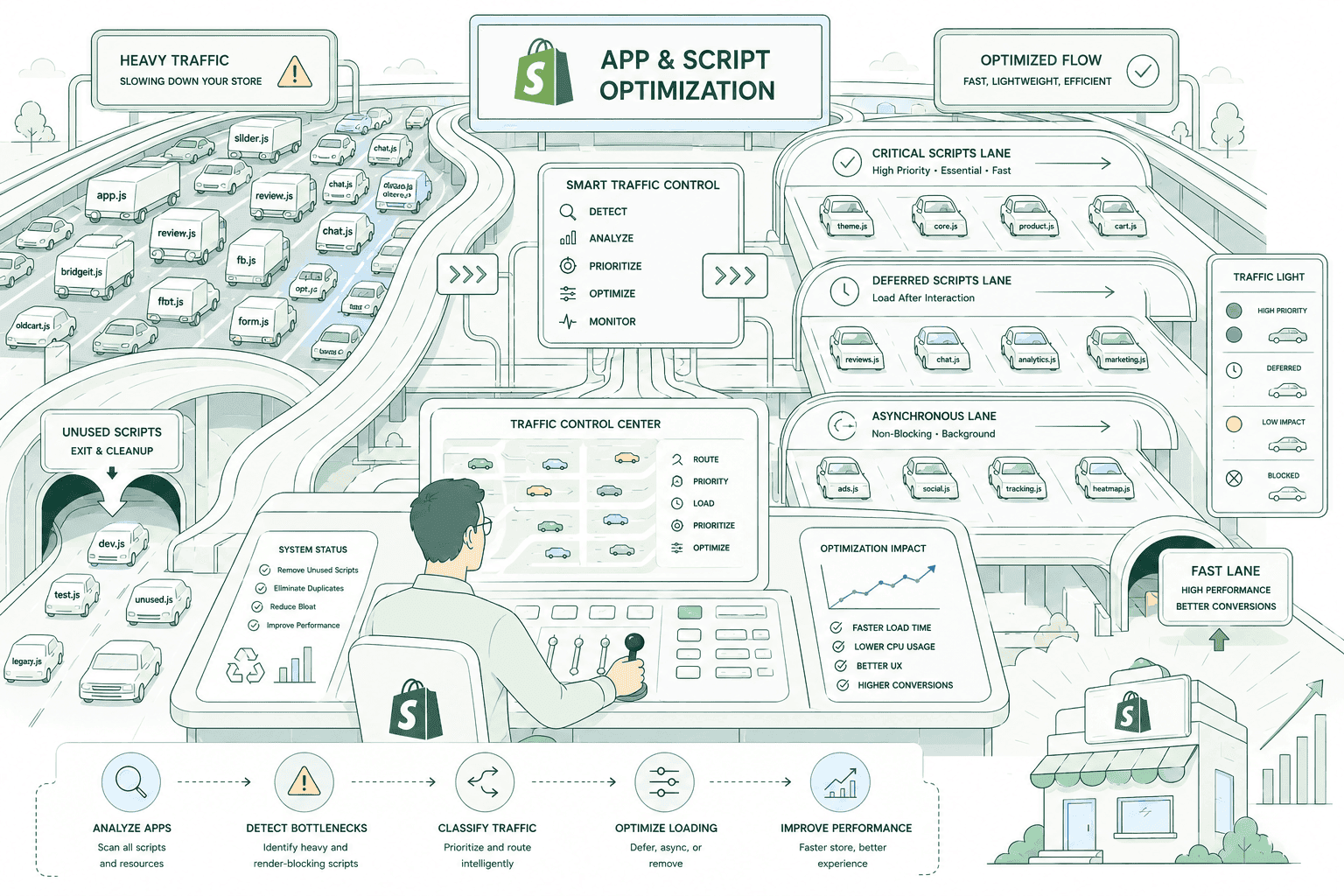
Why it matters
Apps are the fastest thing to install and the slowest thing to notice.
Every app that adds storefront functionality adds JavaScript, and most of it loads on every page whether it is needed or not. A reviews widget runs on your about page. An upsell app loads on collection pages it will never appear on. A currency converter serves a country you stopped shipping to. Individually each is small; together they are usually the largest single cost on a Shopify store, and because INP replaced FID in March 2024 and measures responsiveness across the whole session, that JavaScript now sits squarely on the metric Google grades. Nobody deliberately built this. It accumulated over three years of trials, campaigns and staff changes, and nobody has audited it since.
Sound familiar?
You installed apps one at a time and nobody has looked at the total.
These are the patterns we find on almost every store with a mature app stack. The second one is the misconception that keeps stores slow.
- You have installed apps steadily for years and no one has ever measured what they cost together.
- You assume paying for an app means it is well built and cannot be the performance problem.
- Your store still loads scripts from apps you uninstalled months ago and forgot about.
- Add-to-cart and variant switching feel laggy, especially on mid-range phones on mobile data.
- Two apps do roughly the same job because nobody wanted to migrate off the older one.
- Your tag manager contains pixels for campaigns that finished long before anyone here started.
What's included
What app and script work covers
Six passes over your app stack — from what each one actually costs to what is left over from the ones you removed years ago.
Per-app weight attribution
Every installed app measured for what it genuinely costs: bytes transferred, requests made, and main-thread time consumed. Until each app has a number attached, the conversation stays at 'we have too many apps' — which is not a decision anyone can act on. With numbers, the decisions make themselves.
Where apps load versus where they're used
Most storefront apps load globally by default. We map each one against the templates where it actually does something and scope it accordingly, so a product-page upsell stops loading on your blog and a reviews widget stops loading on checkout-adjacent pages where no review will ever render.
Leftover code from uninstalled apps
Uninstalling an app rarely removes everything it added. Snippets stay in theme.liquid, sections keep referencing missing assets, and script tags keep firing at endpoints that no longer respond. We find this residue across your theme files and remove it — it is dead weight with zero upside, and there is always some.
Deferring and async loading
Scripts that must stay do not all need to block first paint. We move non-critical third-party code to defer or async, load some only on interaction, and get render-blocking requests out of the critical path so your LCP element is not queued behind a chat widget that nobody opens.
Consolidating overlapping apps
Stores routinely run two apps that do most of the same job — two review tools, an upsell app plus a bundle app, three separate analytics scripts. We identify the overlaps, work out which single app covers the requirement, and cut the duplicate weight and the duplicate subscription with it.
Tag manager and pixel cleanup
Tag containers sprawl quietly. Old campaign pixels, duplicate analytics, tags firing on every page that were built for one landing page in 2022. We audit what is in the container, remove what is obsolete, and tighten triggers so the rest fires only where it is meant to.
How it runs
How app and script work actually runs.
Two to four weeks depending on how many apps are in play and how much theme residue there is. Lab metrics move the day changes ship; field data reflects them on a rolling 28-day window, so allow about a month before Search Console agrees with you.
- 01
Inventory and cost
Every app listed with what it does, where it loads, and what it costs in bytes, requests and main-thread time. This inventory is the whole basis of the project — every later decision is argued from it.
- 02
Agree what goes
We come back with a removal list, a consolidation list and a keep-but-defer list, each with the measured cost attached. You make the calls. Nothing gets removed on our say-so alone.
- 03
Remove, scope and defer
Uninstalls done properly with the theme residue cleaned out, remaining scripts scoped to the templates that need them, and non-critical code deferred or loaded on interaction. Changes ship in small batches so anything that breaks is obvious.
- 04
Regression check and monitor
We verify the functionality you kept still works — tracking, reviews, subscriptions, cart behaviour — then watch lab metrics immediately and field data as the window rolls. Broken analytics is worse than a slow page.
#1
Cause of slow stores
Third-party app scripts
200ms
INP threshold
JavaScript decides this one
2–4 wks
Typical engagement
Audit, remove, verify
28 days
Field data window
CrUX, real visits
Straight answer
The biggest win is usually deleting an app you're attached to.
A good fit if…
- You have a long app list, a slow store, and are willing to remove things the numbers condemn.
- Someone at your company can decide which apps go without a three-month committee process.
- You have changed agencies or developers and suspect years of residue in the theme.
- You want measured evidence for each app before deciding, rather than a blanket cull.
Probably not, if…
- Every app is non-negotiable. Without removals this becomes deferral work with a modest ceiling.
- You want the speed gain but not the trade-off of losing a widget your team likes.
- Your slowness is structural — an old theme or a bloated build — which app work will not solve.
- You are mid-migration or replatforming, where this work is better done after the move.
Keep exploring
More on Shopify performance
App & Script Optimization is one part of how we make Shopify stores fast. Here's the rest of the picture.
Shopify Performance Optimization
The complete service — audit, fix, verify and keep it fast.
View the serviceClosely relatedStore Speed Audit
The measurement pass that costs each app before anything gets removed.
Read the guideClosely relatedTheme & Code Optimization
When the weight isn't the apps — dead CSS, blocking JS and bloated Liquid.
Read the guideAll guides in this series
- Core Web VitalsLCP under 2.5s, INP under 200ms, CLS under 0.1 — measured on real field data.
- Image & Asset OptimizationThe hero image is usually your LCP element. Sizing and formats decide the score.
- Mobile Speed OptimizationMost of your traffic, and the device your Core Web Vitals are actually judged on.
- Cart & Checkout SpeedThe slowest step is the one closest to the money — cart drawer to confirmation.
- Performance MonitoringSpeed regresses the moment someone installs an app. Catch it before customers do.
Beyond this service
Other things we do
Most stores need two or three of these working together. Book a call and we'll tell you which ones actually move your numbers.
- Shopify Theme DevelopmentCustom themes built from Figma to production Liquid on Online Store 2.0 — fast and merchant-editable.
- Shopify App DevelopmentCustom and public apps, Checkout UI Extensions and Shopify Functions built with React and Polaris.
- Shopify MigrationMove from WooCommerce, Magento or BigCommerce with a full 301 redirect map and zero downtime.
- Shopify SEOTechnical audits, Core Web Vitals, structured data and collection content built around buyer intent.
- Shopify Performance OptimizationFaster load times and green Core Web Vitals — theme refactors, image pipelines and app cleanup.
- Shopify A/B TestingHypothesis-led experiments on product pages and checkout, shipped as native theme code.
- Shopify Email Marketing & KlaviyoFlows, segmentation and campaigns — welcome, abandoned cart, winback and SMS, built and monitored.
- Shopify CRO & FunnelsValue-ladder, tripwire, quiz and post-purchase upsell funnels built to lift conversion and AOV.
- Shopify Maintenance & SupportRetainers covering uptime monitoring, security patching, bug fixes and proactive improvements.
Frequently asked questions
- It can if it is done carelessly, which is why removals are staged and regression-checked rather than done in one afternoon. We agree the list with you first, uninstall properly rather than just hiding the widget, clean the theme residue, then verify that the functionality you kept still works — tracking, reviews, subscriptions, cart behaviour. Small batches mean if something does break, it is obvious which change caused it.
Too many apps?
Book a 30-minute technical call. We'll look at your app list and tell you which ones are likely costing you real speed — and which are fine to keep.
Book a free call