Shopify On-Page SEO
On-page work on Shopify has two problems: doing it well on one page is straightforward, and doing it across two thousand products is a different discipline entirely. We handle both — templated patterns where scale demands it, hand-written copy where the page earns the attention.
Book a Free Technical Call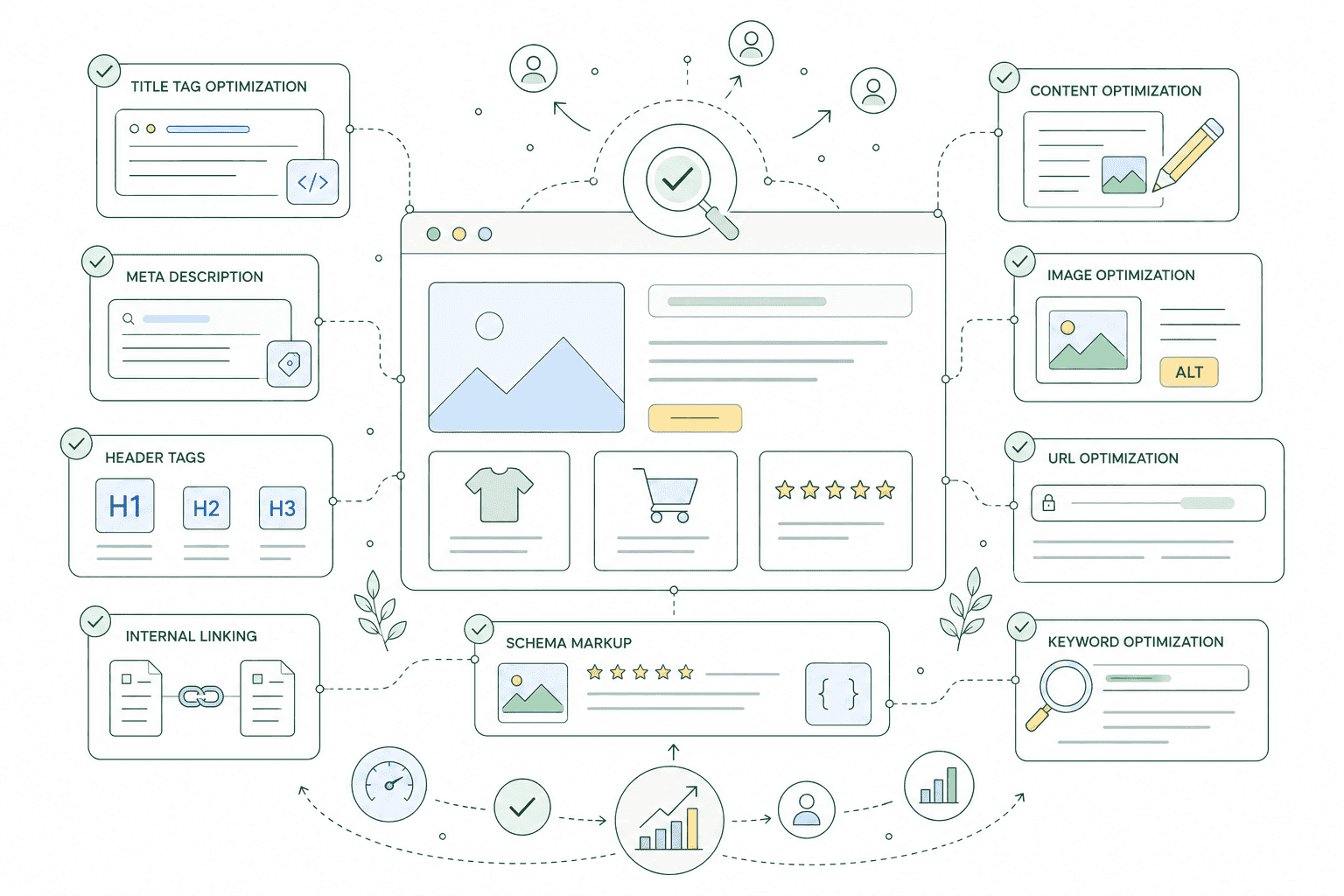
Why it matters
Most Shopify stores have the same on-page problem at opposite ends.
Product pages get templated titles that read identically across the catalogue — product name, dash, store name, repeated two thousand times. Collection pages get the opposite treatment: a hand-written paragraph stuffed under the product grid, written for a keyword rather than a customer, that nobody has looked at since. Neither approach works. Titles need a pattern that scales but still differentiates on the things buyers actually filter by, and collection copy needs to answer a real question — what's in this category, how do I choose, what's the difference between these options. That takes editorial judgement, which is why it's usually the part that never gets done.
Sound familiar?
Every product page on the store shares one title formula.
On-page problems are easy to spot once you know where to look, and unusually cheap to fix compared with everything else in SEO.
- Your titles all read 'Product Name – Store Name' and look identical in every search result.
- Collection pages have a heading, a grid, and nothing that explains how to choose.
- Someone added a keyword paragraph below the grid years ago and nobody has read it since.
- You have two thousand products and no realistic way to write two thousand unique descriptions.
- You treat meta descriptions as a ranking factor, so they get stuffed instead of written.
- Your best pages sit four clicks from the homepage with almost nothing linking to them.
What's included
What on-page work covers
The elements on the page itself that decide whether it ranks, and whether anyone clicks it once it does.
Titles and meta descriptions at scale
A title pattern for each template that stays under Google's truncation point and leads with what people search, plus hand-written titles for your priority collections and best-selling products. Descriptions get the same treatment — they don't influence rankings, but they decide whether a result gets clicked.
Heading hierarchy
One H1 per page, describing that page and nothing else. Shopify themes frequently put the store name, a promo banner or a slideshow caption in an H1, and use heading tags for visual sizing further down. We correct the structure so headings describe the document rather than the design.
Collection copy worth reading
Copy placed above or around the grid that helps someone choose — the differences between the options, who each suits, what to check before buying. Written for the customer first and the query second. If a paragraph only exists to hold a keyword, we'd rather delete it than keep it.
Internal linking
Your important collections should be reachable in a couple of clicks and linked from places that make sense — related collections, product descriptions, buying guides, navigation. We map what currently links to what, find the pages nothing points at, and add links a customer would genuinely follow.
Image alt text
Descriptive alt text across product and collection imagery, written for someone using a screen reader and useful to Google as a side effect. Generic filenames and empty alt attributes are the default state of most catalogues, and fixing them is unglamorous, mechanical and worth doing.
URL handles and pagination
Handles that are short, readable and stable, with proper redirects whenever one has to change. Pagination on large collections reviewed so page two onwards is handled sensibly rather than left to infinite scroll that a crawler never reaches.
How it runs
How the work runs.
Typically four to eight weeks for a first pass across a mid-sized catalogue, front-loaded onto the pages that carry your revenue rather than worked through alphabetically.
- 01
Audit what exists
Every title, description, H1 and handle exported and reviewed against the keyword map. This is where duplication becomes obvious — the same title on forty variants, the same H1 across a dozen collections, whole templates missing descriptions.
- 02
Set the patterns
Template-level rules for titles, descriptions and headings that hold up across the catalogue, using the variables that actually differentiate your products. Agreed with you before anything is applied, because these patterns touch thousands of pages at once.
- 03
Write the priority pages
Your top collections and highest-value products get written by hand, not generated. That's usually a few dozen pages carrying the majority of organic revenue, and they justify the time templated copy can never quite replace.
- 04
Link and monitor
Internal links added where they help a customer navigate, orphan pages connected, then Search Console watched for click-through and impression changes over the following weeks so the patterns can be adjusted.
Every
Title reviewed
Templates and priority pages
1
H1 per page
Structure, not styling
Human
Collection copy
Written, not generated
GSC
Measured after
Impressions and CTR
Straight answer
On-page work is cheap to do and easy to do pointlessly.
A good fit if…
- You have a catalogue large enough that titles and headings need patterns, not manual editing.
- Your pages are indexed and getting impressions, but click-through is poor across the board.
- You already know which keyword each page should target, or want that mapped first.
- You want collection pages that help people choose, not paragraphs written for a crawler.
Probably not, if…
- Google isn't indexing your pages properly. Fix that first — on-page work can't reach them.
- You want copy generated in bulk and published without anyone reading it. We won't do that.
- You're expecting a specific traffic uplift figure. On-page work helps; it doesn't come with numbers.
- Your catalogue is a dozen products. Sit down for an afternoon and write them yourself.
Keep exploring
More on Shopify SEO
On-Page SEO is one part of how we do Shopify SEO. Here's the rest of the picture.
Shopify SEO
The complete service — technical, on-page, content and reporting, in one engagement.
View the serviceClosely relatedKeyword Research
The mapping that decides which term each page is being optimised for.
Read the guideClosely relatedTechnical SEO Audit
Worth checking first — on-page work does nothing on a page Google won't index.
Read the guideAll guides in this series
- Schema Markup & Rich ResultsProduct, review, FAQ and breadcrumb structured data, implemented and validated.
- Content & Blog SEOBuying guides and comparison content that pull traffic your collections can't.
- Image SEOAlt text, file naming and image sitemaps — Google Images is a real channel for retail.
- Local SEOFor stores with a physical presence — Business Profile, local pages and citations.
- SEO Reporting & TrackingSearch Console, GA4 and rank tracking wired to revenue, not vanity positions.
Beyond this service
Other things we do
Most stores need two or three of these working together. Book a call and we'll tell you which ones actually move your numbers.
- Shopify Theme DevelopmentCustom themes built from Figma to production Liquid on Online Store 2.0 — fast and merchant-editable.
- Shopify App DevelopmentCustom and public apps, Checkout UI Extensions and Shopify Functions built with React and Polaris.
- Shopify MigrationMove from WooCommerce, Magento or BigCommerce with a full 301 redirect map and zero downtime.
- Shopify SEOTechnical audits, Core Web Vitals, structured data and collection content built around buyer intent.
- Shopify Performance OptimizationFaster load times and green Core Web Vitals — theme refactors, image pipelines and app cleanup.
- Shopify A/B TestingHypothesis-led experiments on product pages and checkout, shipped as native theme code.
- Shopify Email Marketing & KlaviyoFlows, segmentation and campaigns — welcome, abandoned cart, winback and SMS, built and monitored.
- Shopify CRO & FunnelsValue-ladder, tripwire, quiz and post-purchase upsell funnels built to lift conversion and AOV.
- Shopify Maintenance & SupportRetainers covering uptime monitoring, security patching, bug fixes and proactive improvements.
Frequently asked questions
- It can, and for the long tail of your catalogue that's a reasonable use of one. Apps apply a pattern; they don't decide whether the pattern is right, and they can't write a collection page that explains the difference between two product ranges. Our approach is to set the patterns deliberately, use automation where it's genuinely appropriate, and hand-write the pages that carry the revenue.
Titles all look the same?
Book a 30-minute call. We'll look at a few of your collection and product pages and tell you what's worth changing first.
Book a free call